
Testing diodes and capacitors correctly is essential for maintaining reliable electronics.
This comprehensive guide, created by Honeytek Instruments, a professional manufacturer of electronic testing tools based in Shenzhen, China, explains how to test diodes and capacitors using a digital multimeter, interpret the results, and follow safety steps.
Honeytek’s experience in True-RMS multimeter design ensures that the guidance below reflects real engineering standards used globally by electricians and technicians.
1️⃣ What Is a Diode Test Function on a Digital Multimeter?
Quick Answer (for snippet):
The diode test function on a digital multimeter measures the forward voltage drop across a diode and checks its reverse blocking ability to determine if it’s good or faulty.
Then expand:
The diode test mode, represented by the →|▏ symbol, applies a small current through the diode and displays its forward voltage drop. It’s faster and more accurate than using resistance mode because it directly shows voltage instead of ohms.
Step-by-Step: How to Test a Diode
- Turn dial to diode test mode (→|▏).
- Connect red probe to the anode, black probe to the cathode.
- Note forward voltage drop (0.5–0.8 V typical).
- Reverse probes to check reverse blocking; should show OL.
Result Table:
| Test | Expected Reading | Status |
|---|---|---|
| Forward | 0.5–0.8 V | Good |
| Reverse | OL | Good |
| Both conduct | Shorted | |
| Both open | Broken |
Troubleshooting Tips
- A low voltage in both directions → diode shorted.
- No reading → open diode.
- Leakage in reverse direction → aging component.
2️⃣ What Is a Capacitance Test Mode on a Digital Multimeter?
Quick Answer (for snippet):
The capacitance mode measures a capacitor’s ability to store charge, showing its value in microfarads (µF) or nanofarads (nF) to assess whether it’s within its rated tolerance.
Then elaborate:
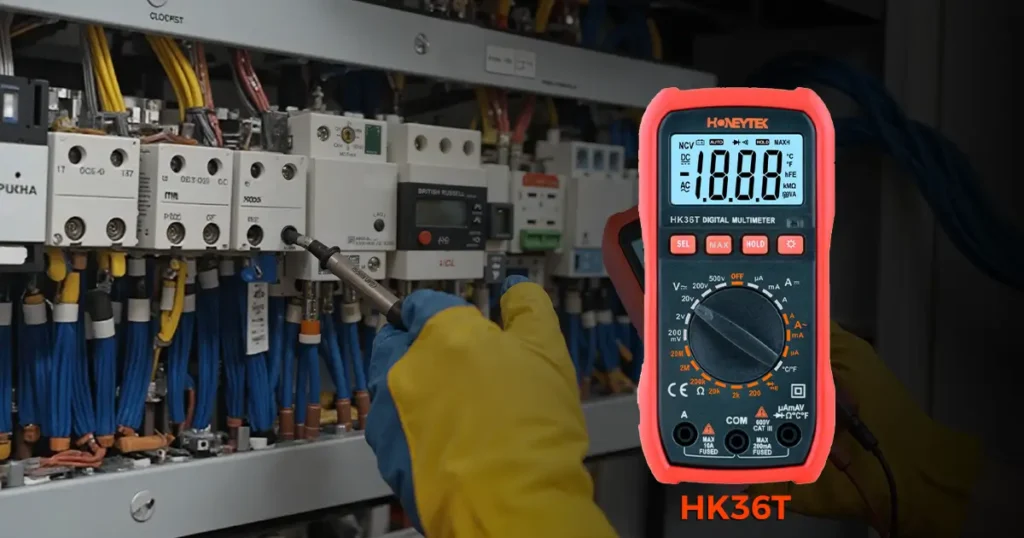
Modern DMMs like the Honeytek HK36T provide a dedicated capacitance test range (–|(–). This function applies a small AC signal, measures charging time, and calculates the capacitance value displayed digitally.
How to Test a Capacitor
- Ensure the capacitor is discharged and removed from circuit.
- Turn to capacitance mode (–|(–).
- Connect red and black probes to each terminal (observe polarity for electrolytic).
- Wait a few seconds for the value to stabilize.
- Compare reading to rated capacity.
Result Table:
| Reading vs Rated Value | Interpretation |
|---|---|
| ±10% | Normal |
| −20% or lower | Aged or weak |
| 0 µF | Open / faulty |
| Much higher | Leakage / misread |
Pro Tips
- Always discharge large capacitors safely through a resistor.
- Avoid testing while connected to a circuit.
- Large electrolytic capacitors may need a few seconds for reading stabilization.
3️⃣ Understanding Forward Voltage and Capacitance Accuracy
Explain why voltage drop values matter (0.5 V for silicon, 0.2 V for Schottky).
Mention how auto-ranging True-RMS multimeters improve reading precision in fluctuating AC environments — emphasizing Honeytek HK36T as example.
4️⃣ Safety & Maintenance Guidelines
- Always test on powered-off circuits.
- Replace weak multimeter batteries for stable readings.
- Keep probes clean and insulated.
- Store your multimeter in a dry environment.
5️⃣ Why Choose Honeytek Digital Multimeters
Honeytek is a trusted manufacturer of electronic measuring instruments, including True-RMS multimeters, clamp meters, and testing accessories.
The Honeytek HK36T offers:
- Diode & capacitance test functions
- MAX value display
- LCD backlight + LED light
- Auto power-off & data hold
- Full range overload protection
Backed by years of experience in precision measurement technology, Honeytek ensures every product meets international safety and accuracy standards (CAT III 600 V).
6️⃣ FAQ: Diode & Capacitor Testing with a Multimeter
Q1: Can I test a diode while it’s in-circuit?
Not recommended — other components may affect readings.
Q2: Why does my multimeter show “OL”?
That means “Over Limit,” indicating an open circuit or high resistance (normal in reverse direction).
Q3: How do I identify diode polarity?
The cathode usually has a stripe; in diode mode, the side giving voltage drop is the anode.
Q4: My capacitance reading keeps changing — why?
The capacitor may still be charging/discharging. Wait until stable or ensure it’s fully discharged.
Q5: What’s the safest way to discharge a capacitor?
Use a resistor (1 kΩ / 2 W) across the terminals — never short it directly.
7️⃣ Conclusion & Next Steps
Mastering diode and capacitor testing with a digital multimeter is crucial for electronic diagnostics.
Following correct procedures prevents damage, ensures accuracy, and extends equipment lifespan.
Honeytek’s professional instruments make testing safer, faster, and smarter — trusted by technicians worldwide.
Ready to improve your testing accuracy?
Explore the Honeytek HK36T True-RMS Digital Multimeter, designed for reliable diode and capacitance measurement.
