
If you’ve ever been troubleshooting a tractor, harvester, or any ag machine where the test point is far away from the cab, you already know the pain: you clip onto a connector, walk back to the seat, and you can’t see the screen (or you’re trying to balance the meter somewhere it won’t fall).
A “remote display” multimeter solves this in two ways:
- Old-school detachable display (like the discontinued Fluke 233)
- Modern wireless display (meter stays at the test point, your phone/PC becomes the screen)
For real-world field service, option #2 is often the most practical—because it gives you the “take the screen with you” convenience without needing a removable module.
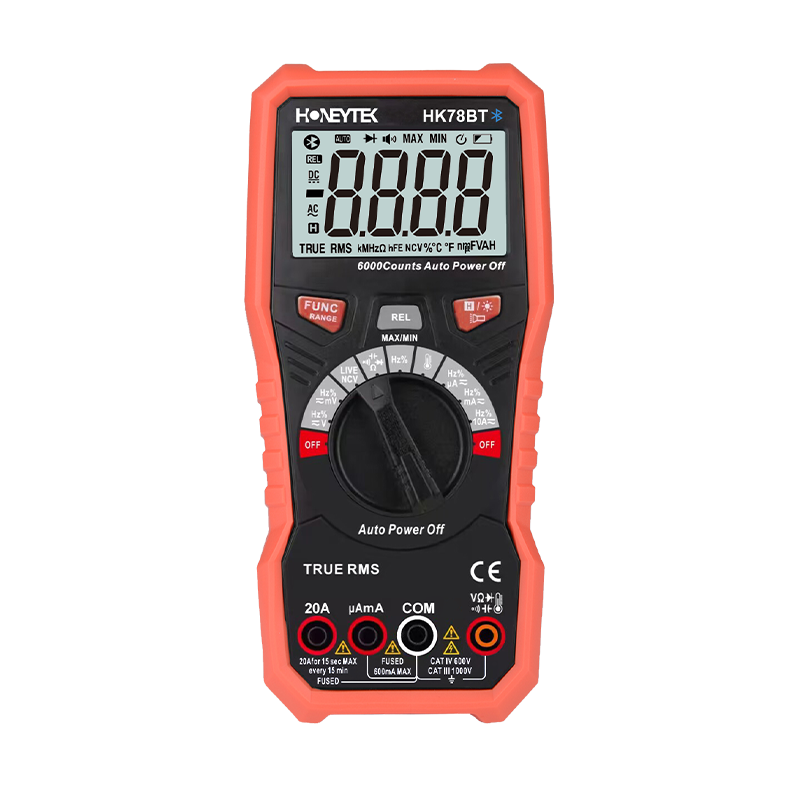
Quick pick for this workflow: HK78BT Bluetooth multimeter
Honeytek HK78BT is a 6000-count True RMS digital multimeter with Bluetooth data transfer. The main idea is simple:
- Put the HK78BT at the test point (engine bay, harness, sensor connector, relay box)
- Use your phone or computer to view readings remotely via Bluetooth
- Record data without standing right next to the machine
This directly matches the “I need to test away from the cab and still see readings” problem.
Why HK78BT fits “remote display” work in agricultural machinery
1) Remote viewing without a detachable screen
Instead of a pop-off display, you get wireless monitoring:
- Leave the meter leads connected where you need them
- Walk back to the cab (or a safer spot)
- Read live values on your phone/PC
2) Current measurement up to 20A (useful for many machine circuits)
From the spec sheet, HK78BT supports DC current ranges up to 20A (and AC current ranges up to 10A), which is handy for:
- Control circuits
- Small motors/actuators
- Solenoids, valves, relay loads (depending on the system)
Tip: For starter/inrush currents on vehicles (hundreds of amps), you’d typically use a clamp meter. But for many troubleshooting tasks in ag equipment, 20A coverage is still very practical.
3) Better “in the field” usability
HK78BT includes the small things that matter on job sites:
- Backlit display
- Built-in flashlight
- NCV (non-contact voltage)
- Live wire recognition
- MAX/MIN, Data Hold, Relative mode
- Auto/Manual ranging
Data logging + exporting reports (turn measurements into records)
For maintenance checks, inspections, and “prove it” troubleshooting, the useful part isn’t only the number—it’s saving it.
With Bluetooth + app workflow, HK78BT is positioned for:
- Data storage
- Graphing / trend viewing
- Sharing or exporting readings as a report
This is especially useful for:
- Periodic maintenance
- Acceptance testing after repair
- Intermittent faults that don’t show up on a quick check
“Power measurement” in a practical way
A multimeter measures voltage and current. Power is typically calculated:
- DC power:
P = V × I - AC real power: depends on power factor (needs more than a basic DMM)
A smart workflow (especially if your app supports multi-meter monitoring) is:
- Put Meter A on voltage
- Put Meter B on current
- View both on the app, then calculate power from the readings
HK78BT’s “multi-meter in one app” style is designed for this kind of workflow when you need more than one data stream.
Spec highlights
- True RMS
- 6000 counts (display: 5999)
- CAT rating: CAT III 1000V / CAT IV 600V
- DC voltage: up to 1000V
- AC voltage: up to 750V
- DC current: up to 20A
- Bluetooth: Yes (HK78BT vs HK78N)
How to use it on a machine
- Connect the probes at the test point (sensor plug, relay output, supply line, etc.)
- Place the meter securely (magnet/strap/flat surface)
- Pair Bluetooth and open the live reading screen
- Walk to the cab and operate the controls (start, engage PTO, switch loads)
- Watch the reading live, log it, and save the result for your report
If your main need is: “Leave the meter at the test point and take the display with me”, a Bluetooth multimeter is the closest modern replacement to the old detachable-screen concept. The Honeytek HK78BT fits that remote-display workflow while staying budget-friendly, and it keeps the field-friendly features (TRMS, backlight/flashlight, NCV, MAX/MIN) that matter in real repairs.
