
Introduction
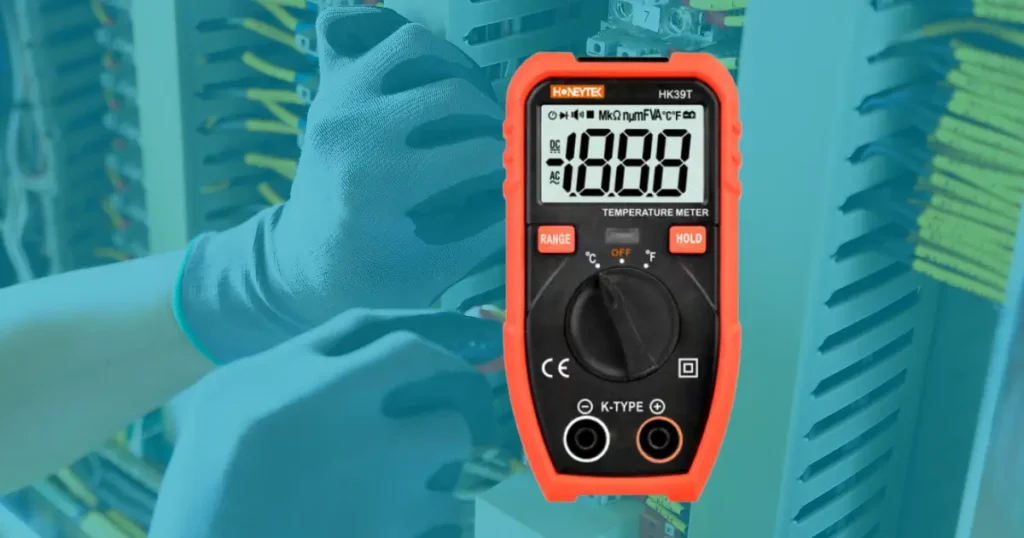
Programmable Logic Controllers (PLCs) are the backbone of modern industrial automation. They manage production lines, control robotic equipment, and ensure precise execution of processes in factories worldwide.
Although PLCs are designed to withstand harsh industrial environments, they are not immune to failure. Problems such as faulty I/O modules, unstable power supplies, electromagnetic interference, or network breakdowns can cause downtime, production losses, and costly repairs.
The good news is that with the right tools—especially a digital multimeter—many of these issues can be identified quickly before they escalate into serious failures.
In this article, we’ll break down the main causes of PLC and industrial control system failures, show how to diagnose problems using a multimeter, and provide best practices to prevent future issues.
Honeytek, a global manufacturer of electronic measuring instruments, delivers professional-grade multimeters and diagnostic tools trusted by engineers and maintenance teams across industries.
1. Input/Output (I/O) Module and Field Device Failures
Why I/O Modules Are Critical
PLCs rely on I/O modules to communicate with sensors, switches, and actuators in the field. When an input or output module fails, the PLC may stop receiving or sending signals, halting the process.
Common Causes of I/O Faults
- Loose or damaged terminal connections
- Power supply issues at the module (e.g., VCC failure)
- Incorrect PLC configuration settings
- Broken wires or faulty connectors
- Circuit breaker tripping
Using a Multimeter for Diagnosis
- Continuity Testing: Use the resistance (Ω) setting to check whether each I/O line is intact.
- A reading of 0 Ω means the wire is continuous.
- A reading of ∞ Ω indicates an open circuit.
- Voltage Testing: Switch to DC Voltage mode and measure the input/output points relative to ground.
- For example, a sensor input line expected to deliver 24V but reading 0V suggests wiring or device failure.
- Load Testing: Some I/O faults only appear under load. Measure the voltage drop across terminals when the field device is active.
If a specific I/O module is repeatedly problematic, replacement may be necessary. However, be mindful of compatibility between new modules and legacy systems.
2. Grounding Integrity
Proper grounding is essential for both PLC safety and signal stability. A compromised ground can introduce noise, damage components, or create safety hazards.
Common Grounding Issues
- Damaged ground wires
- Loose ground connections
- Corroded terminals reducing conductivity
How to Test Ground Integrity with a Multimeter
- Set the multimeter to resistance mode.
- Measure between the PLC’s ground terminal and the equipment grounding point.
- Ideally, resistance should be close to 0 Ω.
- Higher readings indicate a weak or broken ground.
Routine ground integrity testing prevents electrical noise from interfering with PLC operation.
3. Power Supply Failures
Why Stable Power Is Vital
PLCs require an uninterrupted, stable power supply to execute programs. A sudden loss of power can damage memory, disrupt processes, or trigger unexpected shutdowns.
Typical Sources of Power Problems
- Regional or local grid outages
- Loose wiring or damaged cables
- Electrical surges or spikes
- Lack of an Uninterruptible Power Supply (UPS)
Diagnostic Steps with a Multimeter
- Set the multimeter to DC Voltage.
- Measure the PLC’s supply voltage (commonly 24V DC).
- Compare against manufacturer specifications.
- Low or unstable readings may indicate failing power supplies, loose connections, or incoming grid issues.
Preventive Measures
- Install UPS systems to allow safe shutdown during outages.
- Use surge protectors to avoid damage from voltage spikes.
- Consider redundant power supplies for mission-critical operations.
4. Electrical Noise and Electromagnetic Interference
Industrial environments often produce electrical noise, especially near heavy motors, welding equipment, or during lightning strikes.
Effects of Electrical Noise on PLCs
- Intermittent communication errors
- Unexplained program interruptions
- Complete PLC failure in severe cases
Diagnosing Interference
While multimeters can’t directly measure electromagnetic interference (EMI), they can confirm unexpected voltage fluctuations at I/O points caused by noise.
Preventive Measures
- Keep communication and signal cables away from high-power lines.
- Use shielded cables for sensitive I/O signals.
- Prohibit handheld transmitters near PLC equipment.
5. Network Communication Failures
Modern PLCs rely on Ethernet, Modbus, or Profibus networks to connect with HMIs, SCADA systems, and field devices.
Causes of Network Interruptions
- Damaged Ethernet or communication cables
- Loose or corroded connectors
- Firmware or compatibility issues with new devices
Troubleshooting Steps
- Use the multimeter’s continuity mode to test each cable for breaks.
- Verify that each connector has proper termination.
- Check power and signal integrity at communication modules.
Regular inspection of the network’s physical infrastructure is critical to avoiding downtime.
6. Overheating and Humidity
Why Heat Is Dangerous for PLCs
Excessive heat shortens component lifespan, causes system errors, and may permanently damage hardware. Similarly, humidity can introduce condensation that leads to short circuits.
Signs of Heat-Related Issues
- Random PLC shutdowns
- Distorted program execution
- Physical discoloration of components
Preventive Actions
- Maintain temperature within manufacturer-recommended limits.
- Ensure adequate HVAC cooling and ventilation.
- Keep heat-generating equipment away from PLC cabinets.
7. Software and Environmental Incompatibility
Sometimes, failures stem not from hardware but from code mismatches or external device changes. A newly installed peripheral may send signals the PLC does not understand.
Preventive Measures
- Thoroughly test all new hardware and software updates before deployment.
- Regularly review PLC logic to ensure compatibility with attached devices.
8. Memory Corruption
PLC memory can become corrupted due to:
- Power interruptions without proper shutdown
- Electrical surges
- Electromagnetic interference
Protection Strategies
- Use PLCs with built-in battery backups.
- Regularly back up all PLC programs to redundant storage.
- Keep memory storage devices away from high EMI/RFI sources.
9. Risk Management and Preventive Maintenance
Key Steps for Reducing PLC Failures
- Perform regular inspections of wiring, grounding, and I/O modules.
- Ensure stable environmental conditions (temperature, humidity).
- Protect against electrical noise with shielding and grounding.
- Use backup power solutions to prevent data loss.
- Regularly update firmware and maintain system compatibility.
A digital multimeter is indispensable for verifying voltages, continuity, resistance, and grounding across the system. Without it, engineers are often “blind” to the underlying causes of PLC problems.
FAQs
Q1: What is the most common cause of PLC failure?
Most PLC issues stem from I/O module failures, power supply problems, or grounding issues.
Q2: How can a multimeter help with PLC troubleshooting?
A multimeter allows engineers to measure resistance, voltage, and continuity to quickly locate open circuits, short circuits, and unstable power supplies.
Q3: How often should PLC systems be inspected?
At minimum, facilities should schedule quarterly inspections. However, critical systems may require monthly preventive maintenance checks.
Q4: Can overheating permanently damage a PLC?
Yes. Excessive heat can warp components, damage chips, and shorten lifespan. Always maintain proper cooling.
Q5: What’s the role of UPS in PLC systems?
A UPS ensures PLCs remain powered during outages, giving operators time to save data and safely shut down systems.
Conclusion
PLC and industrial control system failures can be caused by anything from faulty I/O modules to power disturbances, electromagnetic interference, or even heat and humidity. Fortunately, most of these issues can be detected early with a multimeter before they cause catastrophic downtime.
Regular inspections, preventive maintenance, and investment in quality measuring tools are essential for ensuring uninterrupted operations.
Looking to enhance your factory’s reliability with accurate testing?
👉 Explore Honeytek’s range of advanced digital multimeters and measuring instruments.
Our tools are trusted by engineers and technicians worldwide for precision, durability, and ease of use in diagnosing PLC and industrial control system failures.
Contact Honeytek to discover how our solutions can support your maintenance and troubleshooting needs.
