
A thermal camera should help you answer a practical question, document what you found, and explain the next step to your customer. Choosing the right format starts with how your business performs those tasks.
A smartphone thermal imager is a strong option for short, frequent inspections and phone-based documentation. A handheld thermal camera is often better suited to dedicated inspection routes, shared equipment, and locations where personal phones are restricted.
Neither format automatically delivers better thermal images. Resolution, optics, sensitivity, software, and working distance all influence the result.
Start With the Inspection You Need to Complete
Consider two hypothetical businesses.
An HVAC contractor visits several properties each day. Thermal imaging supplements other measurements: checking radiator heating patterns, investigating uneven surface temperatures, or deciding where further testing is needed. A small attachment that travels with the technician’s phone can fit naturally into that workflow.
A facility inspection team follows a scheduled route through equipment rooms. Several technicians share instruments, wear gloves, and need consistent records across shifts. A dedicated handheld may simplify equipment control and operation.
The useful distinction is how often you scan, where you work, and what your customer expects in the final report.
Smartphone Thermal Imager vs Handheld: Practical Comparison
| Buying consideration | Smartphone thermal imager | Dedicated handheld thermal camera |
|---|---|---|
| Portability | Small attachment, plus the phone you carry | Separate instrument to carry and store |
| Initial investment | May reduce hardware costs when a compatible phone is already available | Includes a dedicated display and operating platform |
| Compatibility | Depends on connector, operating system, and app support | Scanning generally works independently of a phone |
| Field documentation | Convenient access to phone photos, notes, and reporting tools | Transfer and reporting options vary by model |
| Long inspection routes | Consider phone battery, handling, and interruptions | Evaluate battery endurance and controls |
| Team use | Requires a plan for devices, accounts, and customer files | Can be easier to assign as a shared instrument |
| Harsh environments | Evaluate the complete phone-and-camera assembly | Check documented protection and drop ratings |
| Image quality | Depends on the specific sensor and optics | Depends on the specific sensor and optics |
A handheld body does not guarantee ruggedness. A phone attachment does not guarantee lower total cost. Compare the actual equipment package your technicians will use.
Where Honeytek Mobile Thermal Cameras Fit
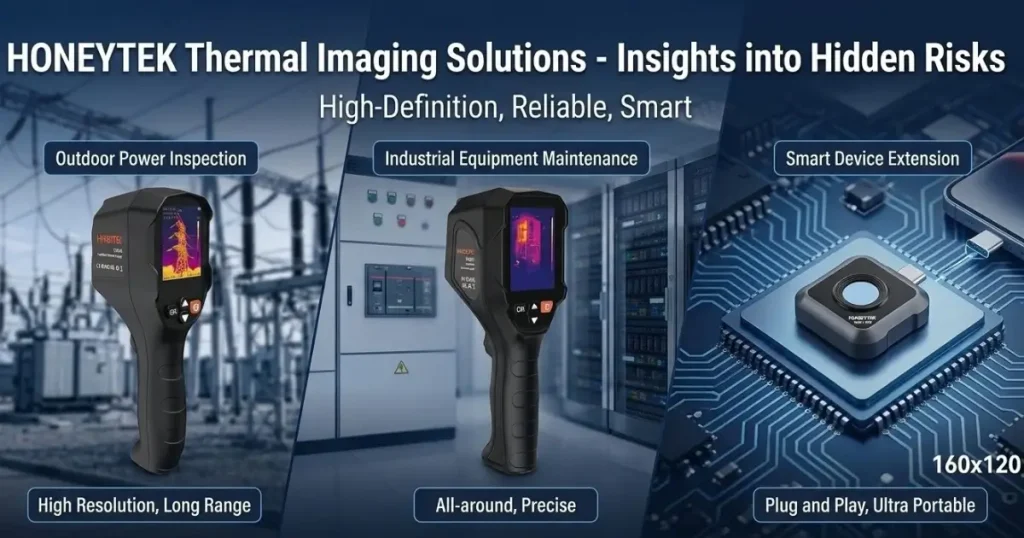
Honeytek offers two compact options for businesses evaluating phone-connected inspection tools:
- TP170: 160 × 120 infrared resolution, with a listed module weight of 17 g.
- TP175: 256 × 192 infrared resolution, with a listed module weight of 15.6 g.
These weights exclude the phone. Honeytek’s product information lists USB-C Android compatibility and JPEG/MP4 output for the series. See the Honeytek TP170 mobile thermal camera and Honeytek TP175 mobile thermal camera for published specifications.
For a business already using compatible Android phones, this format offers a practical way to add thermal screening without issuing every technician a separate display-equipped instrument.
The plug-in approach is especially useful when inspections are brief and distributed throughout the day. After installing the supported app and confirming compatibility, technicians can keep the attachment with their routine tools.
Shopping for a Mobile Thermal Camera for iPhone or Android?
Confirm platform support before comparing image features.
A USB-C connector alone does not establish iPhone compatibility. Buyers using iPhones should request explicit confirmation of support for their exact phone, operating system, and app. The current TP170/TP175 information identifies Android compatibility.
For Android deployments, test the exact phones your team uses. Check connector clearance with protective cases, app installation, file export, and operation under your company’s device policies.
Does 160 × 120 Provide Enough Detail?
It can, when the target is sufficiently large in the image and the inspection conditions produce a useful thermal pattern.
A broad radiator surface is a different imaging problem from a small connection viewed across a room. More infrared pixels generally provide more spatial information, but working distance and lens choice remain important.
A 256 × 192 detector contains 49,152 pixels, compared with 19,200 for 160 × 120. That is 2.56 times the pixel count, not a promise of 2.56 times the temperature accuracy.
Before buying, ask for images of a representative target captured at your normal working distance. Evaluate whether the feature you need to inspect is clearly separated from its surroundings. FLIR’s thermal camera specification guide explains why resolution, field of view, and focus should be considered together.
Make Field Reporting Part of the Buying Test
A useful inspection record must show both the thermal finding and its physical location.
For phone-based work, use a repeatable sequence:
- Capture a visible-light photograph that identifies the asset.
- Save the thermal image from the inspection position.
- Record the asset ID, operating condition, distance, and relevant measurement settings.
- Identify the area requiring attention and describe the observation.
- Add the images and notes to your reporting tool before leaving the site.
This workflow can reduce the need to reconstruct observations later. Honeytek’s listed JPEG/MP4 output supports image and video documentation, but buyers should demonstrate the complete reporting process before deployment.
If your work requires editable radiometric files, automated PDF reports, or integration with a maintenance platform, request confirmation of those specific capabilities. An exported image should not be assumed to contain editable temperature data.
Compare Cost Per Useful Inspection
Purchase price is only one part of the decision.
Include any required phone, protective accessories, software charges, training, support, and replacement costs. Then consider the time required to produce an acceptable report.
A simple planning calculation is:
Equipment cost per inspection = total equipment and software cost ÷ expected inspections over the ownership period
For example, a hypothetical $600 setup used for 300 inspections contributes $2 per inspection before labor and other expenses. This is an illustration, not a Honeytek quotation.
A lower-cost setup provides value when it captures the evidence your service requires reliably. Repeated visits, difficult exports, or incompatible phones can erase the initial saving.
Choose the Format Around Your Service
Choose a mobile thermal imager when your team already has compatible phones, performs frequent short scans, and benefits from keeping images and notes together.
Choose a handheld when dedicated controls, shared-tool management, phone restrictions, or a verified environmental rating are central to the job.
A mixed fleet may also make sense: mobile units for initial screening and a dedicated instrument for inspections with more demanding requirements.
Explore Honeytek TP Series Mobile Thermal Cameras and request a demonstration using your phone, your typical target, and your report format. That test will tell you more about business value than the product category alone.
Frequently Asked Questions
Are smartphone thermal cameras suitable for professional inspections?
They can be, provided the camera’s imaging performance, measurement capabilities, documentation options, and operating limits meet the inspection requirements. Professional results also depend on technique and interpretation. Evaluate a representative job before standardizing on a device.
Can I use a Honeytek TP170 or TP175 with an iPhone?
Honeytek’s current product information identifies USB-C Android compatibility. Do not assume an iPhone will work because it has a USB-C port. Request explicit confirmation of an iOS-compatible model and app before purchasing.
Can a thermal camera see through walls?
No. It detects infrared radiation from the wall’s surface. Heat transfer from something behind the wall can sometimes create a visible surface pattern, but the image does not directly reveal the interior. See FLIR’s explanation of what thermal cameras can see through.
Can a smartphone thermal camera replace a handheld?
For some inspection workflows, yes. For others, a handheld’s dedicated operation or model-specific capabilities are important. Compare target visibility, usability, operating restrictions, and report quality rather than assuming the two formats are interchangeable.
