
Measuring a room, checking a ceiling height or estimating construction materials can take longer than expected when you rely only on a conventional tape measure. Long distances may require two people, while elevated or inaccessible targets can be difficult to reach safely.
A laser distance meter simplifies these tasks by allowing one person to take a digital measurement from a selected reference point to a target surface. Point the laser at the target, press the measurement button and read the calculated distance on the display.
Honeytek manufactures laser distance meters for measuring-equipment distributors, construction suppliers and engineering procurement teams. Our LDM-M and LDM-A product families include 40m, 60m, 80m and 100m models for different working environments.
This guide explains how a laser distance meter works, how to take distance measurements, how to verify its accuracy and how to avoid common measurement errors.
Quick answer: Place the laser distance meter at the starting point, confirm the measurement reference, aim at a solid target and press the measurement button. Keep the device stable until the reading appears on the display.
What Is a Laser Distance Meter?
A laser distance meter is a handheld digital tool that measures the distance between the device and a target. It is also commonly called a laser distance measurer, laser measure, laser measuring tape or digital distance meter.
Unlike a conventional tape measure, a laser distance meter does not require a physical tape to extend across the space. The user places the device at one end of the required distance and directs the laser toward the other end.
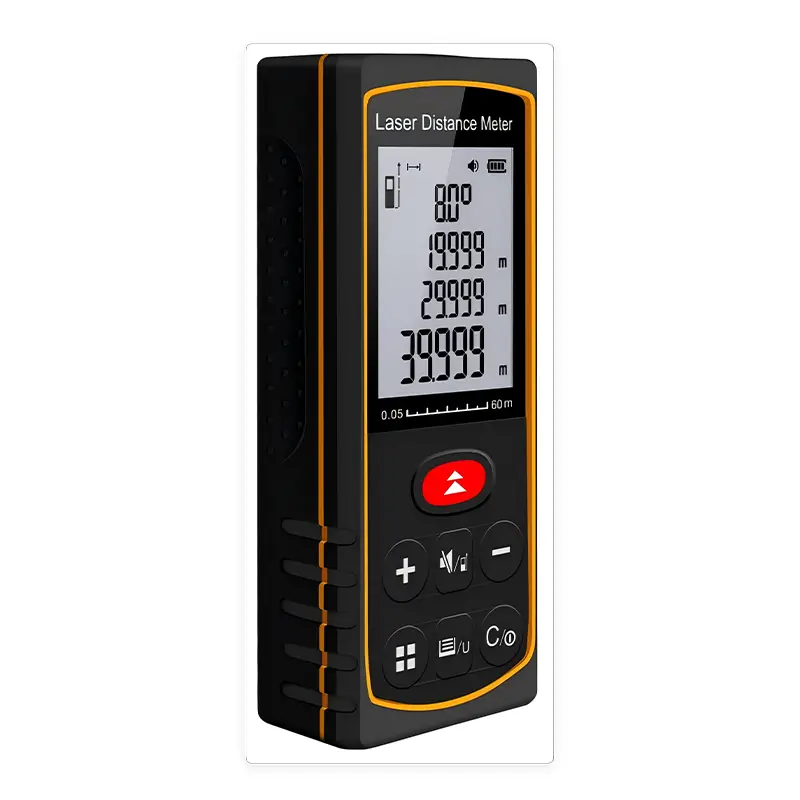
Depending on the model, a laser distance meter may also calculate:
- Area
- Volume
- Indirect height
- Addition and subtraction
- Minimum and maximum values
- Continuously changing distances
- Angles
- Stored measurement records
These functions make laser distance meters useful for construction, renovation, flooring, painting, carpentry, HVAC installation, property inspection and facility maintenance.
How Does a Laser Distance Meter Work?
A laser distance meter directs a focused laser beam toward a target. The target reflects part of that light back to the receiving system inside the meter. The device processes the returned signal and converts it into a distance reading.
The result is calculated electronically and shown on the display. The user does not need to interpret markings or manually calculate the distance.
The basic process is:
- The laser distance meter emits a beam toward the target.
- The beam reaches and reflects from the target surface.
- The meter receives the reflected signal.
- The internal processor calculates the distance.
- The result appears on the display.
A strong, clearly reflected signal helps the meter obtain a stable reading. Dark, transparent, highly reflective, porous or wet surfaces may return an insufficient or irregular signal. Direct sunlight can also make the laser point more difficult to see and may affect measurement performance.
How to Calculate Distance Using a Laser Distance Meter
For a standard length measurement, follow these steps.
Step 1: Inspect the Measuring Conditions
Before starting, confirm that:
- The target is stationary
- The target has a solid surface
- The measuring path is unobstructed
- The laser point can reach the intended target
- The device is within its specified operating temperature
- The batteries have sufficient power
Avoid measuring directly toward people. Never look into the laser beam or intentionally direct it toward another person’s eyes.
Step 2: Turn On the Laser Distance Meter
Press the power button and allow the meter to start. Confirm that the display, battery indicator and selected unit are visible.
Honeytek laser distance meters support distance readings in metres, feet and inches.
Step 3: Confirm the Measurement Reference
The measurement reference determines where the device begins calculating the distance.
For example, when measuring a room from one wall to another, the rear edge of the meter is normally placed against the starting wall. The displayed result then includes the length of the device.
Always check the operating instructions for the specific model because reference settings and controls may vary.
Step 4: Position the Meter Correctly
Place the selected measuring edge firmly against the starting surface. Keep the laser distance meter straight and stable.
For longer distances or indirect measurements, even a small movement can shift the laser away from the intended target.
Step 5: Aim at a Solid Target
Direct the laser point toward a flat, stationary and suitably reflective target.
Suitable targets include:
- Painted interior walls
- Solid partitions
- Concrete surfaces
- Fixed panels
- Large stationary objects
Potentially difficult targets include:
- Clear glass
- Mirrors
- Water
- Moving objects
- Highly polished metal
- Very dark surfaces
- Porous surfaces
- Targets in strong direct sunlight
Step 6: Press the Measurement Button
Press the measurement button once the laser is correctly positioned. Hold the meter still until the reading appears.
If the measurement seems inconsistent, take several readings from the same position and check whether the laser point remains on the same target.
Step 7: Record or Store the Result
Write down the result or save it in the device memory when available.
Honeytek LDM-M models store up to 20 groups of measurements, while LDM-A models store up to 99 groups.

How to Use a Laser Distance Meter
Once you understand basic distance measurement, the same device can be used for several other calculations.
Measuring a Room Length
Place the rear of the laser distance meter against one wall and aim at the opposite wall. Keep the device level and press the measurement button.
For best repeatability, use the same reference edge for every room measurement.
Measuring a Wall or Floor Area
Select the area-measurement function. The device will normally request two measurements:
- Measure the length.
- Measure the width.
The laser distance meter multiplies the two readings and displays the calculated area.
This function is useful for estimating:
- Flooring
- Paint
- Wallpaper
- Tiles
- Drywall
- Ceiling materials
Honeytek laser distance meters can display area in m², ft² and in².
Measuring Room Volume
Select the volume-measurement function and take three measurements:
- Length
- Width
- Height
The device calculates and displays the volume. Honeytek models support volume units in m³, ft³ and in³.
Volume measurement may be useful for HVAC planning, room-capacity calculations, storage-space assessment and preliminary material estimation.
Measuring an Indirect Height
When the top of a wall or structure cannot be reached directly, select the Pythagorean measurement function.
The meter calculates the inaccessible dimension from two or more direct measurements. For better results:
- Keep the device in a consistent position
- Avoid moving the reference point between readings
- Aim precisely at each requested target
- Follow the sequence shown on the display
- Repeat the calculation when the result is critical
The Honeytek LDM-M Series includes a bihorizontal bubble level to assist positioning. The LDM-A Series incorporates electronic angle measurement for applications involving slopes and inaccessible dimensions.
Using Continuous Measurement
Continuous measurement tracks the distance while the device or target position changes. It is useful when locating a specified distance or checking the shortest and longest readings.
Possible applications include:
- Finding a required installation position
- Checking room diagonals
- Measuring clearance
- Positioning furniture or equipment
- Confirming maximum or minimum distances
Adding and Subtracting Measurements
Addition and subtraction functions allow the user to combine measurements directly on the device. This can reduce manual calculations when estimating total wall lengths or subtracting openings from an overall dimension.
How to Calibrate a Laser Distance Meter
The word “calibrate” is often used when checking a laser distance meter, but there is an important distinction:
- Verification compares the meter’s reading with a known reference.
- Calibration is a controlled process that determines measurement error using traceable reference equipment.
- Adjustment changes the instrument to correct an identified error.
Most users can perform a practical accuracy check, but they should not open or internally adjust the device unless the manufacturer’s instructions specifically permit it.
How to Verify Laser Distance Meter Accuracy
Use the following procedure for a basic field check.
1. Select a Controlled Location
Choose a stable indoor location with:
- Limited direct sunlight
- A flat target
- A fixed measuring path
- A normal operating temperature
- No moving objects
2. Establish a Known Distance
Use a suitable reference measuring device to establish a fixed distance. Mark the exact starting and target positions.
The reference should be appropriate for the level of accuracy being checked. A damaged, stretched or loosely positioned tape measure is not a reliable comparison.
3. Confirm the Measuring Reference
Check whether the laser distance meter measures from its front or rear edge. An incorrect reference setting can create a consistent difference approximately equal to the length of the device.
4. Position the Device Consistently
Place the meter at the marked starting point and aim at the fixed target. Do not change the device position between readings.
5. Take Multiple Measurements
Take at least five readings of the same known distance. Record each result rather than relying on a single measurement.
6. Compare the Results
Check:
- How close the average result is to the known distance
- Whether the readings remain consistent
- Whether the difference is within the specified accuracy
- Whether the error changes when measuring a different distance
Honeytek LDM-M and LDM-A models have a specified accuracy of ±2.0mm under normal measuring conditions.
7. Repeat at More Than One Distance
Where practical, perform the check at a short, medium and longer distance. This provides more useful information than checking only one point.
8. Contact the Supplier if Results Are Outside Specification
If repeated controlled tests show a result outside the stated specification:
- Replace or check the batteries
- Clean the optical area carefully
- Confirm the measurement reference
- Repeat the test under stable conditions
- Consult the operating instructions
- Contact the supplier or manufacturer
Do not attempt to open or modify the laser distance meter. Unauthorized adjustment may damage the device and affect its measurement performance.
Common Laser Distance Meter Errors
Incorrect Measurement Reference
If the meter is set to measure from the front but is positioned as though it measures from the rear, the result will be incorrect.
Solution: Confirm the reference setting before measuring.
Moving the Device
Movement can shift the laser point or change the measuring angle, particularly over longer distances.
Solution: Hold the meter firmly against a stable surface and repeat the reading.
Measuring Glass or Glossy Surfaces
Transparent or highly reflective targets may redirect the beam instead of returning a usable signal.
Solution: Measure to an opaque, matte target whenever possible.
Measuring a Dark or Porous Surface
A dark or porous material may return a weaker signal.
Solution: Use a suitable target surface and reduce the measuring distance if necessary.
Working in Direct Sunlight
Strong sunlight may reduce laser-point visibility and make outdoor measurement more difficult.
Solution: Shade the target, measure under more favorable lighting or use a suitable target plate where appropriate.
Measuring Outside the Specified Range
A meter cannot be expected to provide reliable results beyond its rated measuring range.
Solution: Select a model with sufficient range for the intended application.
Low Battery Power
Low battery power may interrupt operation or make readings less dependable.
Solution: Replace both batteries with suitable new batteries when the low-battery indicator appears.
How Accurate Is a Laser Distance Meter?
Laser distance meter accuracy varies by model, distance, target and environmental conditions. The accuracy value in the specification normally applies under defined or normal operating conditions.
Honeytek LDM-M and LDM-A laser distance meters have a specified accuracy of ±2.0mm.
This does not mean every measurement in every environment will differ by no more than 2mm. Performance may be affected by:
- Direct sunlight
- Long measuring distances
- Device movement
- Target angle
- Dark surfaces
- Transparent materials
- Highly reflective surfaces
- Dust, moisture or contamination
- Temperatures outside the specified range
For estimating paint or flooring, a small difference may not materially affect the project. For cutting, fabrication or installation work with tight tolerances, confirm critical dimensions using an appropriate secondary method.
Which Laser Distance Meter Range Do You Need?
Selecting the right range gives users sufficient measuring capacity without paying for unnecessary capability.
| Measuring range | Typical applications | Honeytek models |
|---|---|---|
| 40m | Rooms, apartments, furniture and interior installation | LDM-40M, LDM-40A |
| 60m | Contractors, flooring, painting and property inspection | LDM-60M, LDM-60A |
| 80m | Commercial interiors, warehouses and HVAC projects | LDM-80M, LDM-80A |
| 100m | Industrial facilities, halls and large engineering projects | LDM-100M, LDM-100A |
The rated maximum range should not be treated as a guarantee that every target can be measured at that distance under all conditions. Lighting, target reflectivity and device stability remain important.
Laser Distance Meter Applications
Laser distance meters are commonly used for:
Construction and Renovation
Measure walls, ceilings, rooms, structural openings and internal layouts.
Carpentry and Interior Fitting
Check doorways, windows, cabinets, stairs, furniture and fitted components.
Flooring, Painting and Tiling
Calculate surfaces for preliminary material estimates.
HVAC Installation
Measure duct routes, room volumes, ceiling heights and equipment clearance.
Electrical and Plumbing Work
Check cable routes, pipe lengths and installation distances.
Property Inspection
Record room dimensions and approximate floor areas efficiently.
Warehousing and Facility Management
Measure storage spaces, equipment positions, clearances and building interiors.
Why Choose a Honeytek Laser Distance Meter?
Honeytek supplies a coordinated laser distance meter range for measuring-equipment wholesalers, distributors and engineering procurement buyers.
Available product options include:
- Measuring ranges from 0.05m to 40m, 60m, 80m or 100m
- Specified accuracy of ±2.0mm
- Area and volume calculation
- Pythagorean measurement
- Continuous tracking
- Maximum and minimum measurement
- Addition and subtraction
- Metric and imperial units
- Automatic laser shutoff after 30 seconds
- Automatic power shutoff after 180 seconds
- More than 5,000 measurements per battery set under specified conditions
The LDM-M Series features a built-in bihorizontal bubble level and storage for 20 groups of readings. The LDM-A Series offers electronic angle measurement, an HD self-luminous LCD and storage for 99 groups.
Frequently Asked Questions About Laser Distance Meters
Is a Laser Distance Meter the Same as a Laser Measuring Tape?
“Laser measuring tape” is a common search term for a laser distance meter. Unlike a physical tape, however, the device measures electronically by directing a laser toward a target.
Can One Person Use a Laser Distance Meter?
Yes. One of its main advantages is that a single user can measure many distances without another person holding the end of a tape.
Can a Laser Distance Meter Measure Area?
Yes. Honeytek laser distance meters calculate area from length and width measurements.
Can a Laser Distance Meter Measure Height?
A directly accessible height can be measured normally. An inaccessible height may be calculated using the Pythagorean or angle-measurement function, depending on the model.
Can a Laser Distance Meter Measure Through Glass?
Glass may transmit or redirect the laser rather than returning a reliable signal. Measure to an opaque target instead whenever possible.
Can a Laser Distance Meter Be Used Outdoors?
It can be used outdoors under suitable conditions, but direct sunlight, target reflectivity and long distances may reduce laser visibility or measurement performance.
Does a Laser Distance Meter Need Calibration?
Users should periodically verify the meter against a known reference. Formal calibration or internal adjustment should be carried out only through an appropriate service process.
How Often Should Laser Distance Meter Accuracy Be Checked?
Check the device before critical work, after an impact, after prolonged storage or whenever the readings appear inconsistent.
Source Honeytek Laser Distance Meters
Honeytek offers 40m, 60m, 80m and 100m laser distance meters for construction-tool distributors, measuring-equipment wholesalers and engineering procurement projects.
Contact Honeytek with your required measuring range, preferred series, estimated quantity and destination market. Our team can help you compare product configurations and prepare a quotation.
You might be interested in:
HK68G vs HK78G 2000V PV Digital Multimeter Comparison
How the Honeytek HK588B Clamp Meter Improves HVAC Troubleshooting Efficiency
HK788 & HK789 True RMS Large Current Clamp Meter for Professional Electrical Testing
Small Current Clamp Meter: Definition, Applications,Choose
HK11B+ AC Voltage Detector: The Complete Guide for Electricians and DIY Users

 English
 Português
 Español
 Français
 Deutsch
 العربية
 Русский