
Choosing your first digital multimeter can feel confusing, especially when you encounter terms like auto-ranging and manual-ranging. Both types measure the same electrical parameters—voltage, current, resistance, continuity, and more—but they differ in how the measurement range is selected.
For beginners, this difference matters a lot. It directly affects how easy the meter is to use, how quickly you get reliable readings, and how likely you are to make mistakes.
This guide explains the difference between auto-ranging and manual-ranging multimeters in clear terms, highlights their advantages and limitations, and helps you decide which one is best for your learning stage.
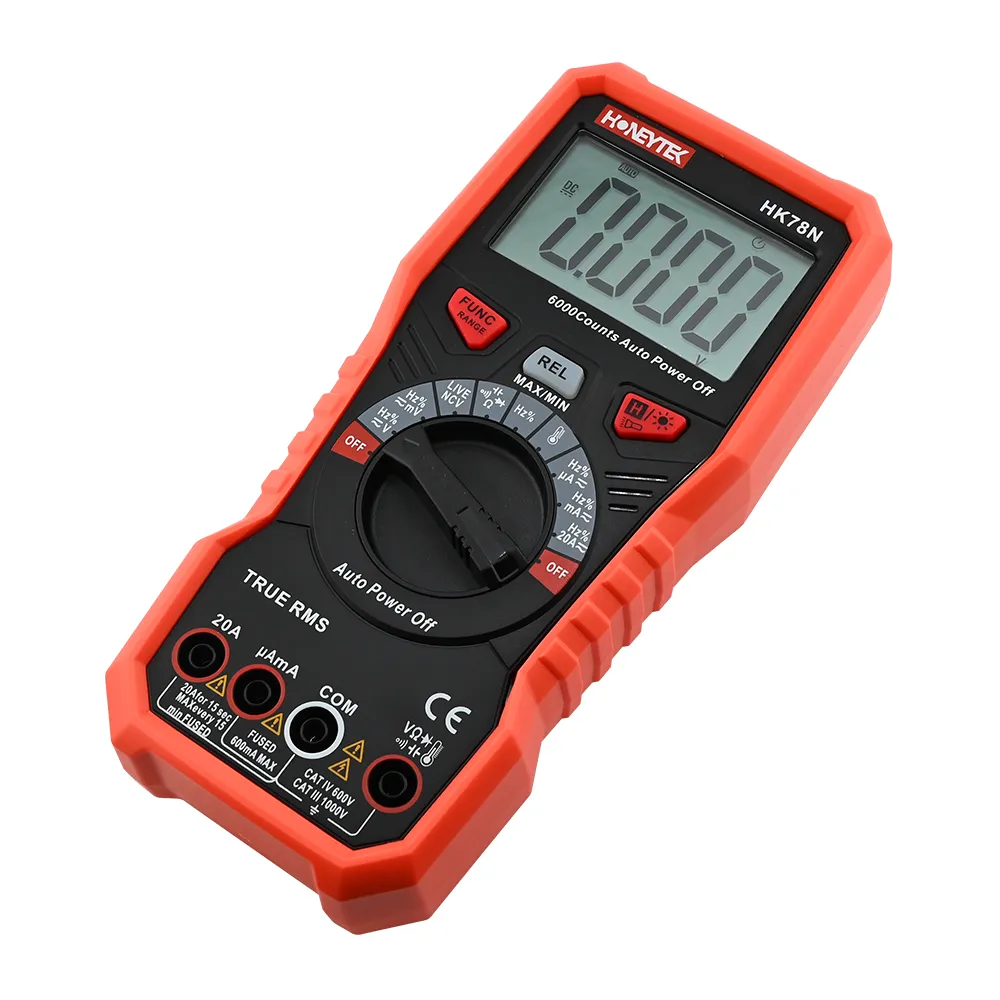
What “Ranging” Means on a Digital Multimeter
Every multimeter has defined measurement ranges. A range determines how much voltage, current, or resistance the meter can display and how precise that display is.
For example:
- A 4 V range may display values from 0.000 to 3.999 V
- A 40 V range may display from 0.00 to 39.99 V
Selecting the correct range is critical:
- Range too low
The meter may display “OL” (overload). In extreme cases, incorrect range selection can stress the input circuit or blow a fuse. - Range too high
The meter will still work, but resolution is reduced. Small changes become hard to see, which often confuses beginners.
The only difference between auto-ranging and manual-ranging multimeters is who chooses this range: the meter or the user.
Auto-Ranging Multimeters Explained
How Auto-Ranging Works
With an auto-ranging multimeter, you simply select what you want to measure—voltage, resistance, or current. The meter then automatically probes the signal and selects the most appropriate range.
You do not need to guess whether to use 2 V, 20 V, or 200 V. The instrument handles that decision internally.
Advantages of Auto-Ranging for Beginners
Extremely easy to use
Auto-ranging removes one of the biggest learning barriers. Beginners can focus on how to connect the probes and interpret the reading, instead of worrying about range selection.
Reduced risk of mistakes
New users often select ranges that are too low. Auto-ranging significantly reduces overload situations and unnecessary “OL” readings, especially when measuring unknown voltages.
Better default resolution
The meter generally selects the lowest safe range, providing maximum usable resolution. This makes readings clearer and reduces misinterpretation.
Safer for learning mains and household circuits
When combined with proper CAT ratings and fused inputs, auto-ranging meters are more forgiving for users still learning safe measurement habits.
Limitations of Auto-Ranging
Slightly slower response
The meter needs a moment to identify the correct range. During quick, repetitive measurements, this can feel like a short delay.
Not always the ideal range for fine detail
If you are looking for very small changes—such as millivolts—the meter may choose a higher range than desired, limiting resolution.
Typically higher cost
At the same brand and quality level, auto-ranging models are usually slightly more expensive than purely manual ones due to added circuitry.
Manual-Ranging Multimeters Explained
How Manual-Ranging Works
With a manual-ranging multimeter, you select both:
- The measurement type (voltage, current, resistance)
- The exact measurement range (e.g., 2 V, 20 V, 200 V)
The meter will never change ranges automatically. The reading speed and resolution depend entirely on your selection.
Advantages of Manual-Ranging
Full control over resolution
Experienced users can deliberately select the lowest safe range to display more decimal places. This is especially useful for measuring small signals or fine variations.
Faster, stable readings
Because the range does not change, readings stabilize almost instantly. This is ideal for production testing, repetitive measurements, or calibration work.
Lower cost and simpler design
Manual meters are often more affordable and mechanically simpler, making them attractive for tight budgets or educational use.
Challenges for Beginners
Steeper learning curve
Beginners must estimate the expected value before measuring. Without experience, it is difficult to know which range is appropriate.
Higher chance of incorrect range selection
- Too low → frequent overload indications and potential risk
- Too high → reduced resolution, leading users to believe the meter is inaccurate
More steps during measurement
Every new measurement often requires stopping, thinking, and adjusting the dial. This interrupts learning flow for new users.
Auto-Ranging vs Manual-Ranging: Which Is Better for Beginners?
For most beginners, auto-ranging multimeters are the better choice.
If your typical questions are:
- “Is there voltage here?”
- “How many volts is this?”
- “Is this wire continuous?”
Auto-ranging allows you to answer these quickly and safely without technical guesswork.
Why Auto-Ranging Is Recommended First
- Faster learning
- Fewer errors
- Less frustration
- More focus on safety and understanding results
When Manual Ranging or Range Lock Makes Sense
As skills improve, some users begin to prefer more control. Manual ranging becomes useful when:
- Measuring similar values repeatedly and wanting instant readings
- Tracking small changes where resolution matters
- Working in environments where speed is critical
For this reason, many modern multimeters—including professional models from Honeytek—offer auto-ranging with manual range lock.
This hybrid approach allows:
- Automatic operation for general use
- Manual locking when precision or speed is required
It is often the best long-term solution.
Beginner Recommendation Summary
First multimeter for complete beginners
- Auto-ranging digital multimeter
- AC/DC voltage, resistance, continuity buzzer
- Proper input fusing and CAT II or CAT III safety rating
After gaining experience
- Multimeter with auto-ranging and manual range lock
- Learn to manually select ranges for advanced measurement scenarios
Frequently Asked Questions
Is auto-ranging less accurate than manual-ranging?
No. Accuracy depends on the meter’s design, calibration, and specifications—not on whether it is auto or manual ranging. Auto-ranging only affects how the range is selected.
Can auto-ranging damage a circuit?
No. Auto-ranging does not inject harmful signals. When used within rated limits, it is safe for both the meter and the circuit.
Why does my auto-ranging meter “jump” between values?
This usually happens near range boundaries or with unstable signals. The meter is switching ranges to find the optimal display.
Should beginners avoid manual-ranging completely?
Not necessarily. Manual-ranging is a valuable learning tool, but most beginners benefit from starting with auto-ranging to build confidence first.
Do professional electricians still use auto-ranging?
Yes. Many professionals use auto-ranging daily and switch to manual lock only when needed.
About Honeytek
Honeytek is a professional manufacturer of electronic measurement instruments, including digital multimeters, digital clamp meters, and electrical testing tools designed for reliability, safety, and real-world usability.
You may like these:
- How to Choose the Right Jaw Opening for Your Digital Clamp Meter
- Key Specifications for Choosing an Industrial High-Current Clamp Meter
- How to Measure DC Current in a Photovoltaic (PV) System Using Clamp Meter
- AC-Only vs. AC/DC Clamp Meters: Choosing the Right Tool for Your Electrical Applications
- Accuracy Comparison of Digital Multimeters, Portable Capacitance Meters, and LCR Meters
